Driver Tools

Driver Management Software for Transit Operations

A mobile app that gives drivers their full manifest, turn-by-turn navigation, trip confirmation workflows, and offline capability in one place.

Drivers open the app and see exactly where to go, who to pick up, and what to confirm. No phone calls to dispatch. No paper manifests. No guesswork.
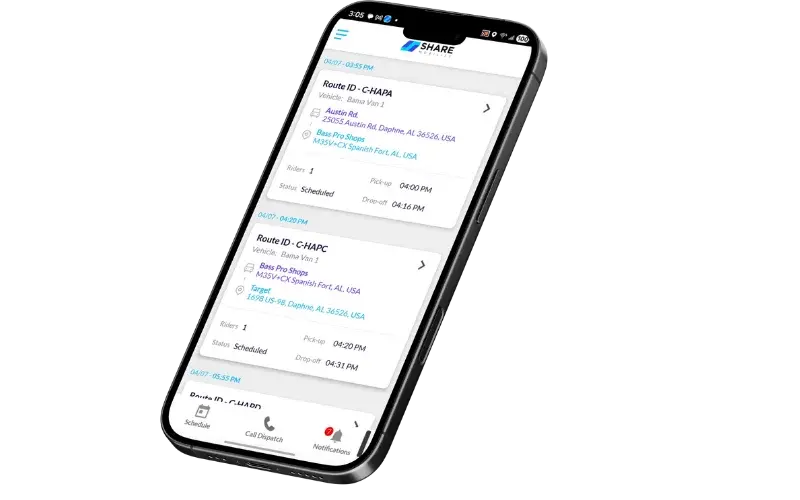
SHARE Mobility driver management app showing route manifest and turn-by-turn navigation
The Problem

Without the right tools, drivers rely on dispatch for everything

When drivers lack real-time information on their device, every question becomes a phone call and every update becomes a delay.

01

Drivers calling dispatch for updates

Without a live manifest on their device, drivers call dispatch every time a trip changes, a stop is added, or a pickup location shifts. Each call pulls a coordinator off other work.

02

Paper manifests and manual trip tracking

Printed manifests are outdated the moment a trip is added or canceled. Drivers working from paper have no way to know their route has changed until someone calls them.

03

No visibility into driver location or status

When dispatch cannot see where a driver is or which stop they are on, they cannot answer rider questions, reassign trips, or respond to delays until the driver checks in manually.

04

Connectivity issues in suburban and rural areas

Drivers operating outside dense urban coverage areas lose signal regularly. If the app stops working without connectivity, drivers are back to paper and phone calls until service returns.

Parking Company of America
"Share Mobility helped streamline complex routes, improve real-time decision-making, and eliminate inefficiencies that had slowed us down for years. What once felt like controlled chaos quickly became an organized, predictable, and scalable operation. Dispatch became smoother, drivers were happier, and our internal teams finally had the visibility and confidence they needed to operate at a higher level. Working with them feels less like working with a vendor and more like working with an extension of our own team."

Tamra Smith, Executive Assistant, Parking Company of America

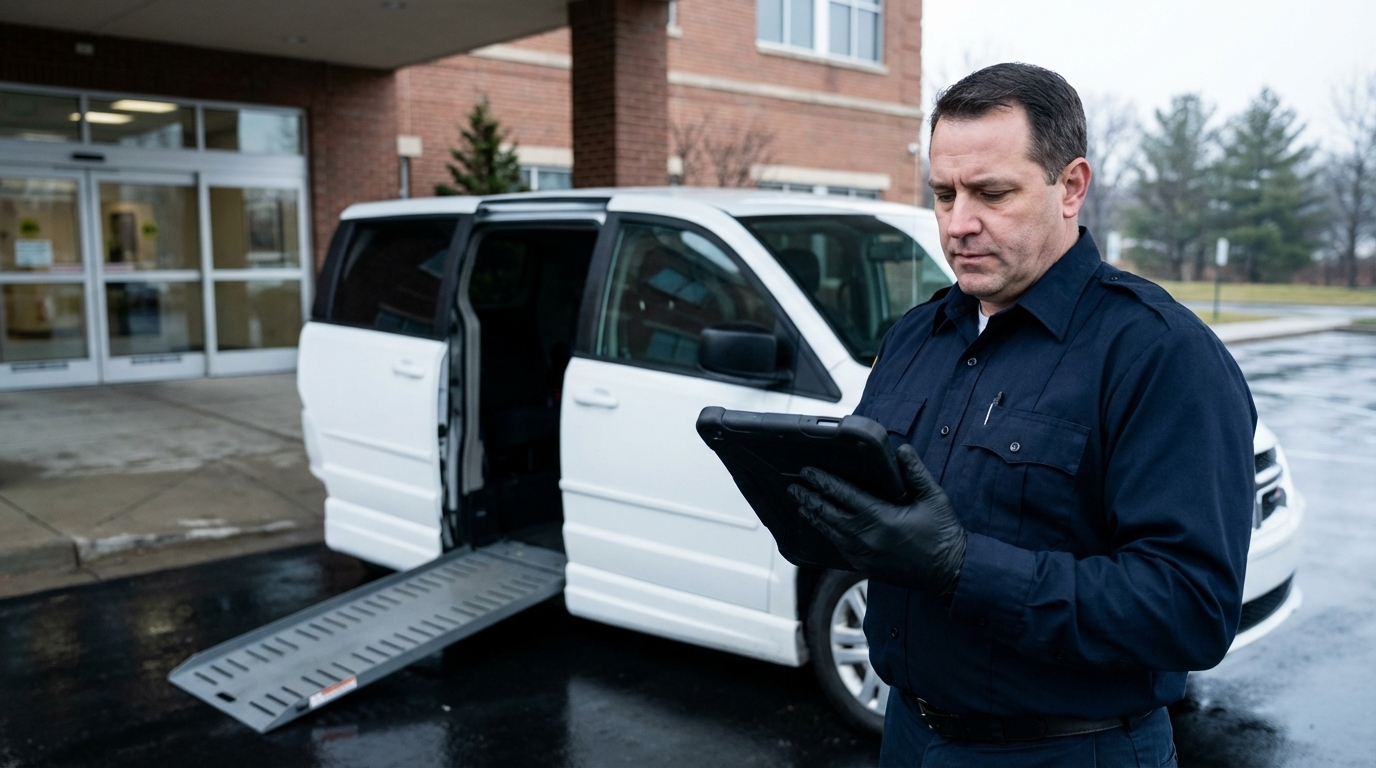
Driver reviewing route and trip assignment details on tablet before departure
What It Does

Everything drivers need on their device, nothing they don't

The SHARE driver app covers manifests, navigation, trip confirmations, scheduling, and offline operation from one mobile interface.

Mobile driver app (Android)

A purpose-built Android app that delivers route assignments, rider details, and real-time updates directly to the driver's device. No paper, no radio, no guesswork.

Turn-by-turn navigation

Google Navigation SDK integration provides turn-by-turn guidance through multi-stop routes. Drivers follow on-screen directions from pickup to drop-off without switching apps.

Trip manifest with real-time updates

Drivers see their full route manifest on screen, updated in real time as dispatch adds, removes, or reorders trips. Changes push automatically with no manual refresh required.

Pickup and drop-off confirmation workflow

Drivers confirm each pickup and drop-off with a single tap. Confirmations flow back to dispatch instantly, creating a complete audit trail of every rider interaction.

Offline mode for low-connectivity areas

The driver app continues operating in areas with limited or no cellular signal. Data syncs automatically when connectivity returns, so suburban and rural routes run without interruption.

Driver-to-route assignment

Dispatch assigns drivers to routes based on availability, qualifications, and vehicle compatibility. Assignments push to the driver app automatically with no manual coordination needed.

Shift scheduling and availability

Drivers set their availability through a calendar interface. The system tracks shifts, prevents double-booking, and ensures only available drivers are assigned to routes.

Performance monitoring

Track on-time rates, route completion, and driver efficiency metrics. Performance data feeds into reporting dashboards so operations managers can identify trends and address issues early.

How It Works

From login to confirmed drop-off in three steps

The driver app is designed to minimize taps and eliminate guesswork on every route.

Driver logs in and sees their manifest

The driver opens the app and sees their assigned route with every stop, rider, and time window listed. No phone call to dispatch. No printed sheet to check.

Navigation guides them stop to stop

Turn-by-turn directions start automatically for each stop. The app handles multi-stop sequencing so drivers follow one continuous route from first pickup to last drop-off.

Confirmations flow back to dispatch in real time

Each pickup and drop-off is confirmed with a tap. Dispatch sees the update instantly, riders get notified, and the audit trail is complete without any manual logging.

See driver management in action on your fleet size and service type in a live walkthrough.

Get a walkthrough
Frequently Asked Questions

Common questions about driver management software

The SHARE driver app is available on Android and iOS devices. Drivers can use their own smartphone or a vehicle-mounted tablet. No proprietary hardware is required.
Yes. When a driver logs in, they see their full route manifest with every stop, rider name, pickup and drop-off location, and time window. The manifest updates in real time as dispatch adds, removes, or reorders trips.
Yes. The driver app includes offline capability so it continues functioning in areas with limited or no cellular signal. Driver actions are stored locally and sync automatically when connectivity is restored. This makes the app reliable for suburban and rural service areas where coverage can be inconsistent.
Drivers log into the SHARE driver app at the start of their shift. Once signed on, their assigned routes and manifests appear automatically. The system tracks their availability status and GPS position from sign-on through sign-off, giving dispatch continuous visibility into who is active and where they are.
The app sends push notifications for new route assignments, trip changes, emergency alerts, and critical updates. Drivers receive real-time status updates as dispatch modifies their route, so they always have current information without needing to call in.
Get Started

Give your drivers the tools to run their routes, not chase information.

See how the SHARE driver app works on your fleet size and service type in a live walkthrough.