Dispatch Dashboard

Dispatch Management Software for Transit Operators

The central interface for live fleet monitoring, driver assignment, trip control, and real-time exception response.

Every active vehicle, every route, every driver, and every trip: visible and manageable from one browser tab. No proprietary hardware. No installed software.
app.sharemobility.com
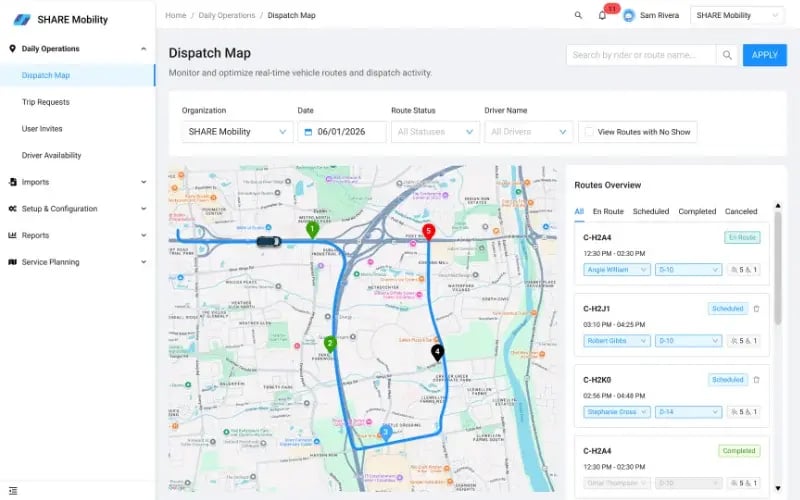
SHARE Mobility dispatch management software showing live fleet map and route assignments
The Problem

Dispatching without real-time data is guesswork

When coordinators rely on phone calls and delayed feeds, small problems compound into service failures before anyone can act.

01

Drivers running late go undetected

Without live GPS positions on every vehicle, a driver falling behind schedule is invisible until riders start calling. By then, the delay has already cascaded into missed connections.

02

Missed trips aren't caught until it's too late

Manual tracking means exceptions surface through complaints, not dashboards. A missed trip that could have been recovered in minutes becomes a service failure after the fact.

03

Same-day changes require phone coordination

Adding a trip, reassigning a vehicle, or covering a driver no-show requires phone calls and manual updates to multiple systems. Every change takes longer than it should.

04

No audit trail when something goes wrong

Decisions made by phone have no record. When a client asks what happened on a given route, there is no log of what was changed, when, or by whom.

Parking Company of America
"What once felt like controlled chaos quickly became an organized, predictable, and scalable operation."

Tamra Smith, Executive Assistant, Parking Company of America

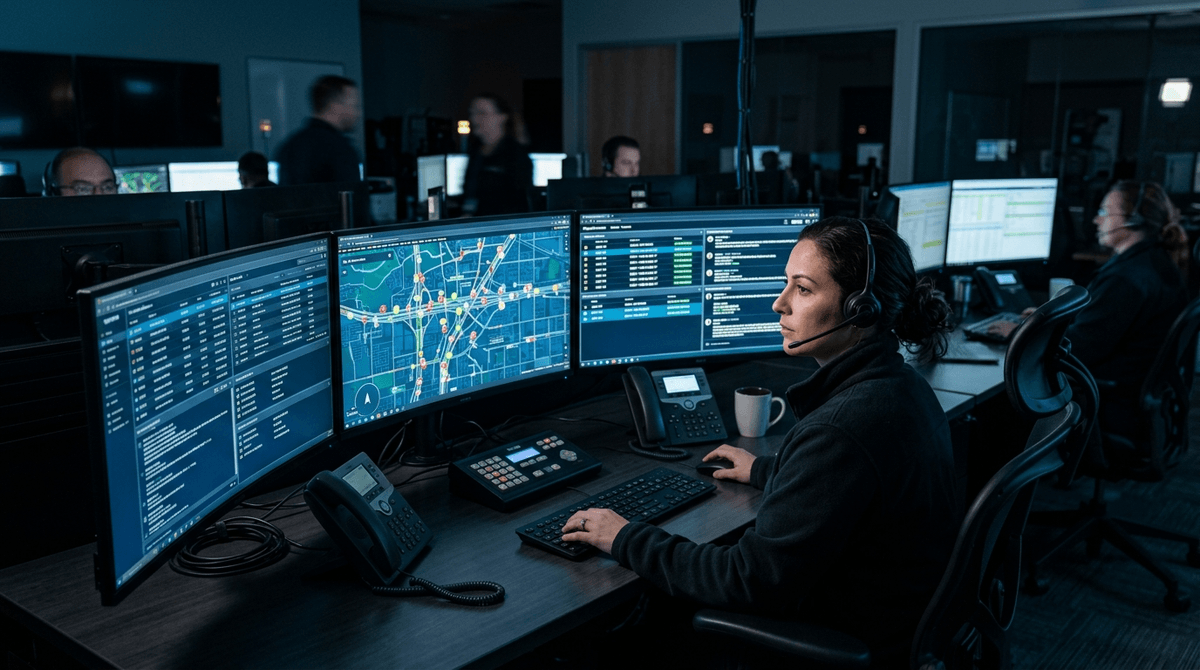
Transit dispatcher monitoring live fleet in SHARE Mobility dispatch dashboard
What It Does

Every tool dispatchers need, nothing they don't

The dispatch dashboard covers fleet visibility, route control, driver management, and real-time event response from one interface.

Live GPS map with real-time positions

Every active vehicle appears on a Google Maps-powered map with custom markers showing position, driver, and current route. Positions update in real time. No manual refresh needed.

Dynamic route polylines

Routes display as dynamic polylines on the map. Coordinators see the exact path each vehicle is running and compare planned versus actual position at a glance.

Vehicle-to-route assignment

Assign vehicles to routes from the Vehicles tab. The system checks accessibility configuration against rider requirements and flags mismatches before confirming.

Driver assignment with availability matching

The Routes tab surfaces driver availability for each time slot. The system prevents double-booking and flags unavailable drivers before assignment.

Add, remove, or cancel trips in real time

Add new trip requests to an active route, remove existing trips, or cancel an entire route. The routing engine recalculates and pushes updated instructions to the driver app automatically.

Critical event notifications

The dashboard surfaces alerts for missed trips, driver issues, and service exceptions as they happen. Dispatchers act immediately from the same screen, not after a phone call.

Multi-dimensional filtering

Filter by organization, date window, route status, driver, or vehicle. Operators managing multiple client programs can scope the view to a single account.

Full audit trail

Every route modification (trip additions, removals, driver changes, cancellations) is logged with a timestamp and coordinator ID. Nothing is undocumented.

How It Works

From fleet setup to live dispatch in three steps

The dispatch dashboard is operational from day one. No hardware installs, no IT project.

Configure vehicles and drivers

Set up your fleet in the Vehicles tab. Add vehicle capacity, accessibility equipment, and availability windows. Assign drivers to their vehicles.

Build and assign routes

Use the Routes tab to create routes from scheduled trip requests. The routing engine generates optimized sequences automatically. Routes push to driver apps instantly.

Monitor and adjust in real time

Watch your fleet on the live map as service runs. Respond to alerts, add same-day trips, reassign vehicles, or cancel routes from the same screen.

See dispatch management on your fleet size and service type in a live walkthrough.

Get a walkthrough
Frequently Asked Questions

Common questions about dispatch management software

Dispatch management software is the central platform transit operators use to monitor vehicle locations, assign drivers and routes, manage trip requests in real time, and respond to service exceptions. SHARE's dispatch dashboard combines live GPS mapping, vehicle and driver management, and route control into one browser-based interface.
The dashboard surfaces alerts for missed trips, driver no-shows, and vehicle issues as they occur. Dispatchers can reassign routes, replace vehicles, add or remove trips, and push updated instructions to drivers from the same screen without manual phone coordination.
Yes. Multiple coordinators can access the SHARE dispatch dashboard simultaneously. Each action is logged with a coordinator ID and timestamp, so there is a clear audit trail of who made which changes and when. Organizations with larger operations often segment by program or region across their dispatch team.
Basic GPS tracking shows you where vehicles are. SHARE's dispatch dashboard shows you where vehicles are and lets you act on what you see. Route assignment, driver scheduling, trip additions and removals, exception alerts, and audit logging are all built into the same interface. GPS tracking is one component of dispatch management, not a substitute for it.
Yes. SHARE's dispatch dashboard supports fixed-route, on-demand, microtransit, flex-route, and NEMT operations from the same interface. Operators running multiple service types, including mixed fleets with some fixed routes and some on-demand routes, manage everything from one dashboard instance.
Get Started

Full visibility. Real-time control. No hardware required.

See how SHARE's dispatch dashboard performs on your fleet size and service type in a live walkthrough.